


InsightsHub AI Chat
InsightsHub AI Chat is the central intelligence layer for your research repository. Unlike standard AI models that scrape the public internet, this AI only knows what you have taught it. It acts as your institution’s research memory, allowing you to ask complex questions and receive answers based strictly on your uploaded studies, reports, and data.
The primary goal of this tool is to support evidence-based inquiry. It eliminates the "Data Gophering Time Sink" by instantly surfacing relevant data from across all your repositories. Click to download the videoYou can engage with your research data using natural language. Follow these steps to start a conversation:
- Log in to your QuestionPro account and navigate to InsightsHub.
- On the homepage, locate the AI Chat interface.
- Enter your research question or prompt in the text box. For example: "What are the main takeaways and key statistics from the customer feedback on MediHerb?"
- Click the Send icon to generate a response.
- The AI will instantly scan your repository to provide a summarized answer based on existing documents.
You can restrict your AI search and context window by selecting specific repositories or folders to be considered when searching information and processing data.
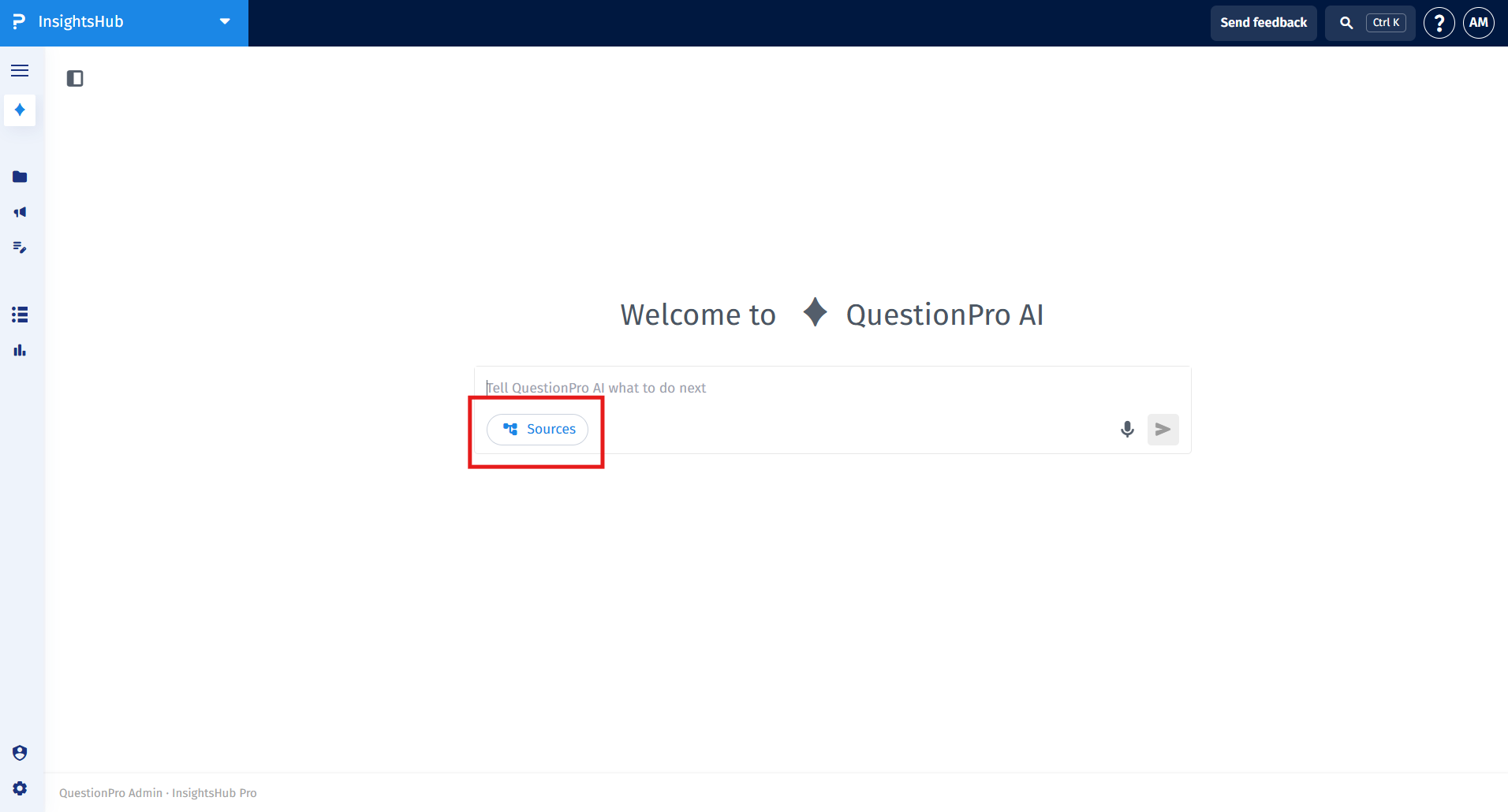
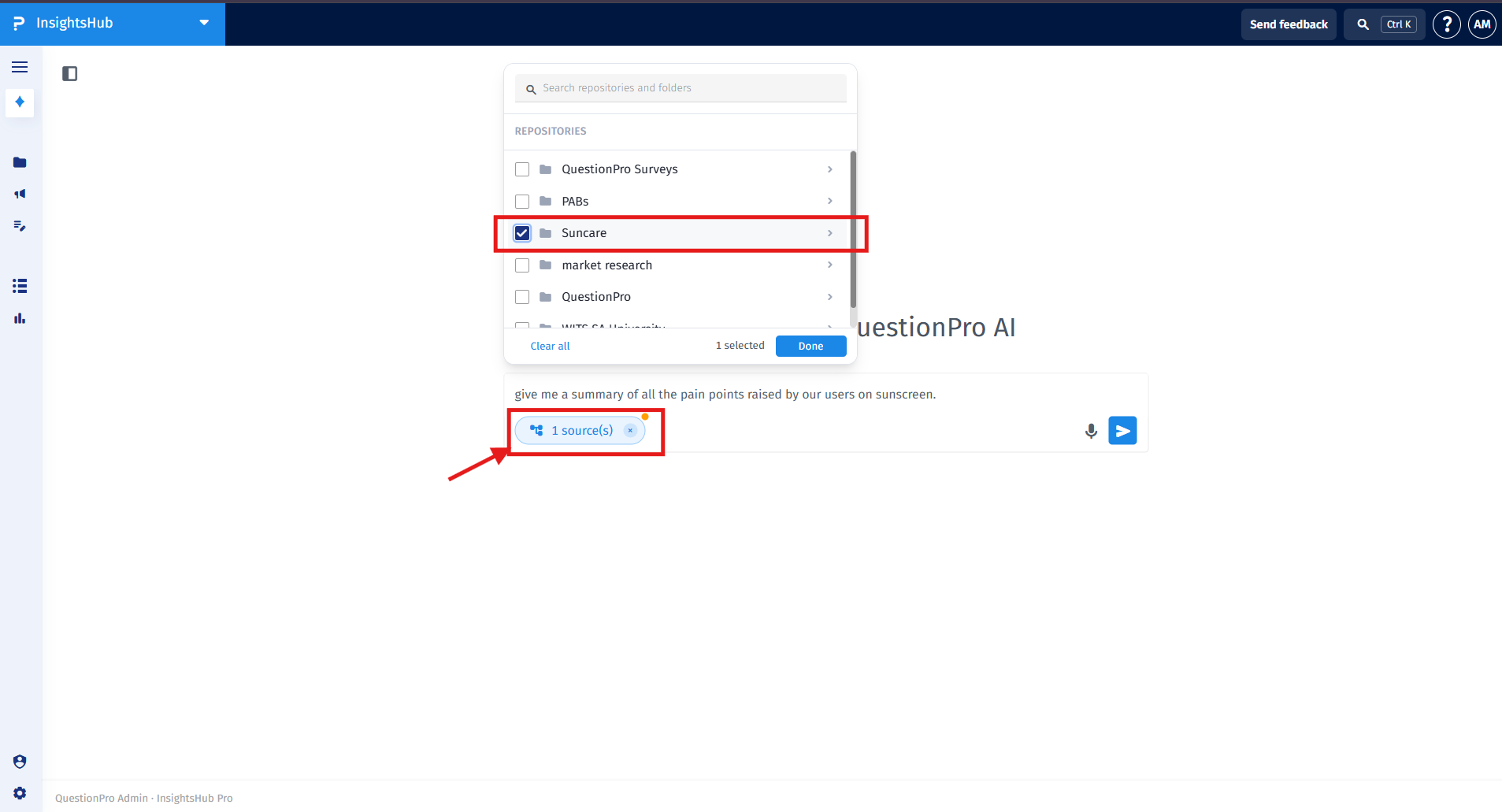
To scope your AI search to specific sources:- In the AI Chat interface, click on the Sources button located inside the input prompt box.
- A dropdown menu displaying available repositories and folders will appear. Search or scroll through the list to locate the desired repository or folder.
- Select the checkbox next to the specific folder or repository you want to include as your data source.
- Click Done to apply your source selection.
InsightsHub AI Chat uses an intelligent planner for intent classification to understand conversational context and scope queries accurately:
- Contextual Follow-up Support: The AI remembers your previous questions in a thread. If you ask to summarize a specific report and follow up with "What does it say about the main risks?", the AI automatically retrieves the answer from the document referenced in your previous turn.
- Interactive Clarification: If your query matches multiple files with similar or identical titles, the AI will prompt you to select the intended file before answering, ensuring responses stay focused on your specific pick.
- Filter Management: Requesting to view all documents or clear the scope resets active folder and repository filters back to your full knowledge base.
- Accurate Content Counting: If asked to count documents based on content criteria, the AI reports the specific matching findings and informs you directly when exact content-based counts cannot be generated.
Transparency is a core pillar of InsightsHub AI. Every response is designed to be traceable to ensure it is unacceptable to have "opaque models" in academic and professional settings.
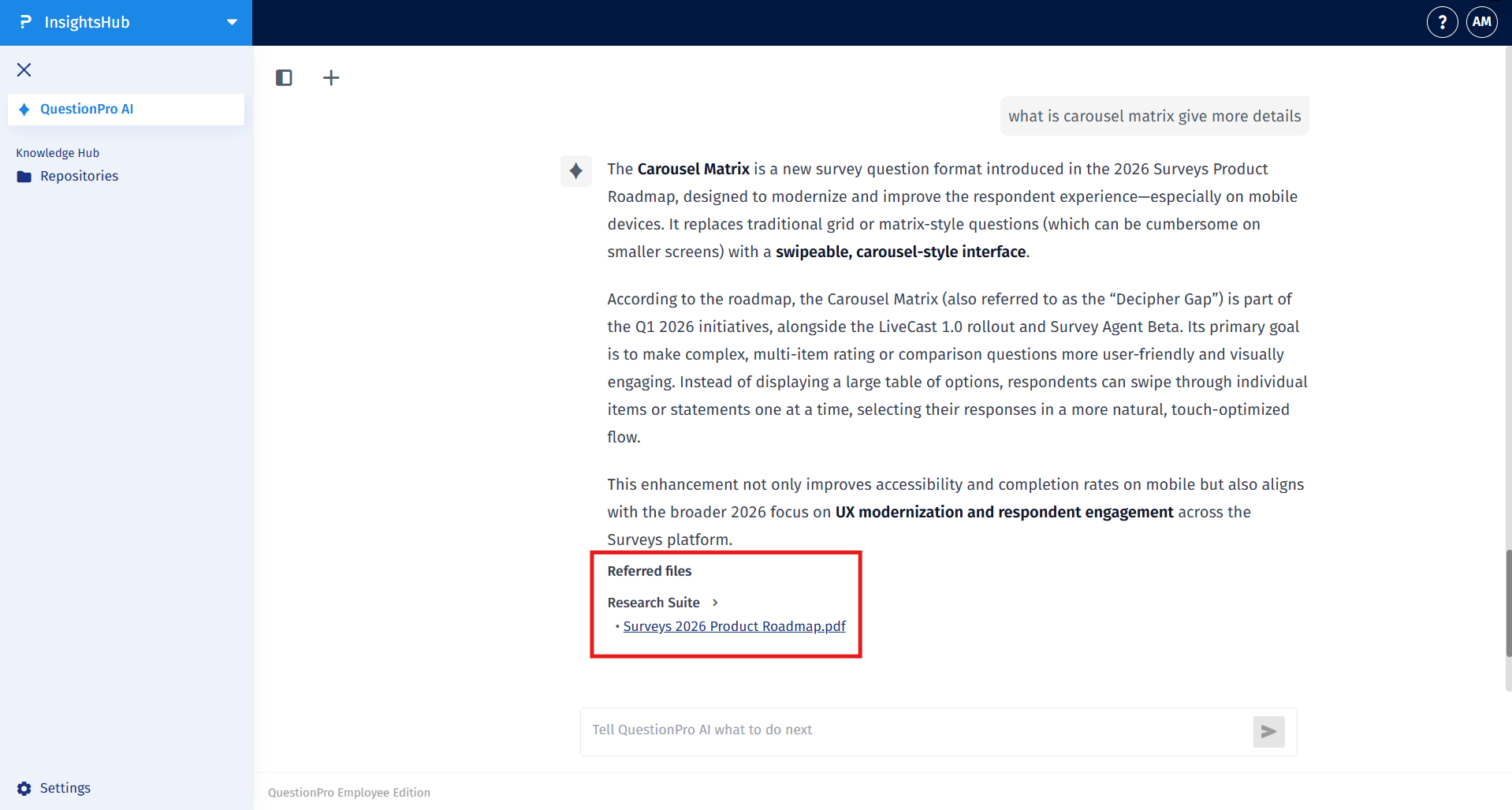
- Every AI-generated response includes direct links to the source files within your repository.
- Click on the source citations provided in the chat to open the original document.
- This allows you to verify facts instantly and trace any insight back to the specific study or participant feedback it originated from.
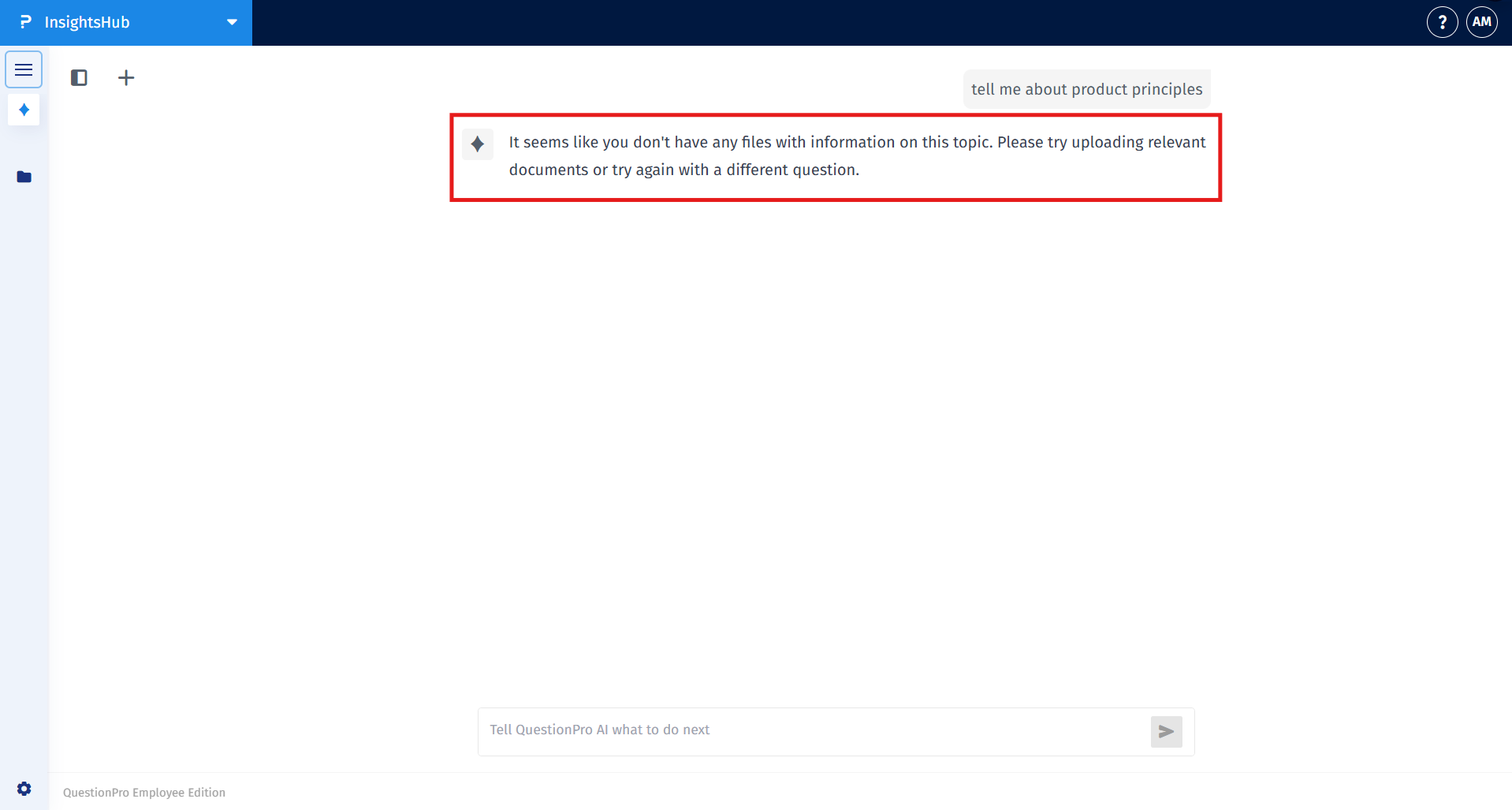
If the AI cannot find an answer, it is a signal that the information does not exist in your current repository, not a failure of the tool.
If no answer is returned, you can:- Upload additional research: Add more PDF, Word, or Excel files to your repository to expand the AI knowledge base.
- Commission new studies: Identify the knowledge gap and run new surveys to collect the missing data.
- Rephrase your query: Try using different keywords or being more specific about the study period or department.
No, InsightsHub AI does not use external scraping. It only answers using the data and documents available in your specific repository.
The model is restricted to a closed-loop system. If the information is not in your documents, the AI will inform you it cannot find the data rather than making up a response.
Yes, the AI is designed for cross-study insight linking and thematic tagging, allowing you to see patterns across multiple projects and years of research.
