- Custom Variable Widget
- Priority Matrix
- Heatmap Widget
- Grid Widget
- Weighted mean widget
- Comment List widget
- Widget Filters
- Ranking List Widget
- Distribution Chart
- NPS Widget
- Trend Widget
- Word Cloud Widget
- Cross tab widget
- KPI Comparison Widget
- Bubble chart
- Custom Metric Trend Chart
- Trend Comparison Widget

CX - Adding Products
Products represent business entities for which you want to collect feedback. With QuestionPro CX, you can gather feedback for one or more products within a single feedback system. Simply define your products and import the relevant transactions along with product details. This data enables you to analyze and compare the performance of different products using the CX Dashboard.
How do you add a Product?
To add a Product, follow the following:
- Go to Admin >> Company Structure >> Products
- Click on 'Add Product'
- Enter product specification according to format- (Product Name,Product Code,Product Group Name,Description)
- Example: Lenovo Laptop,L1050,Laptop,Laptop model no. L1050
- Click on Submit
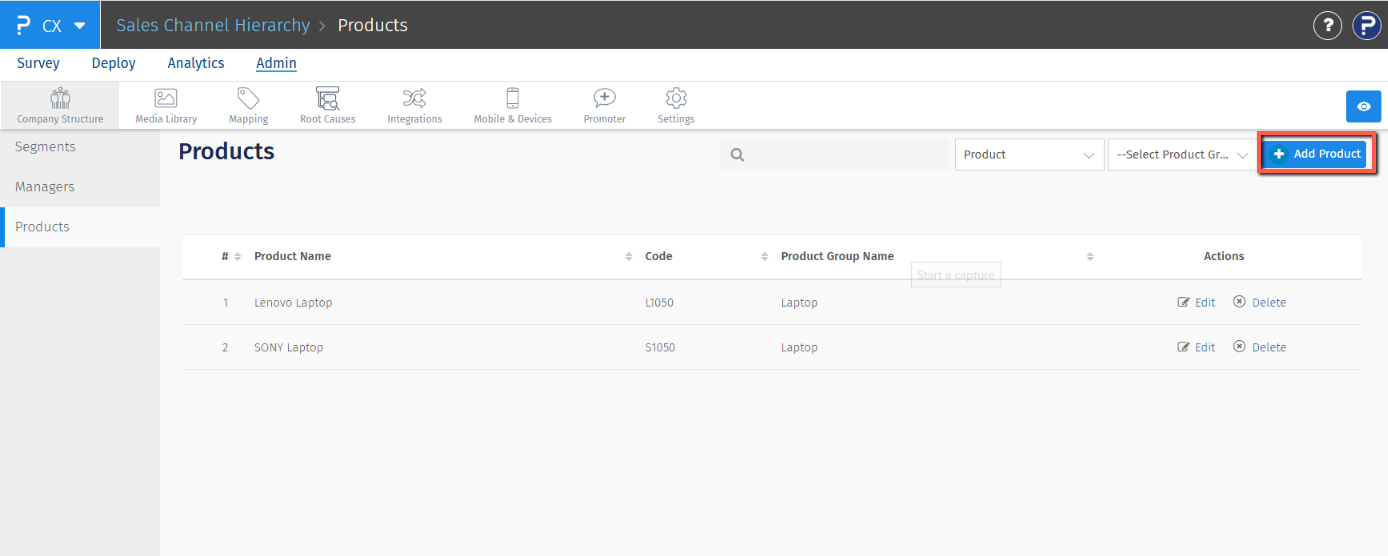
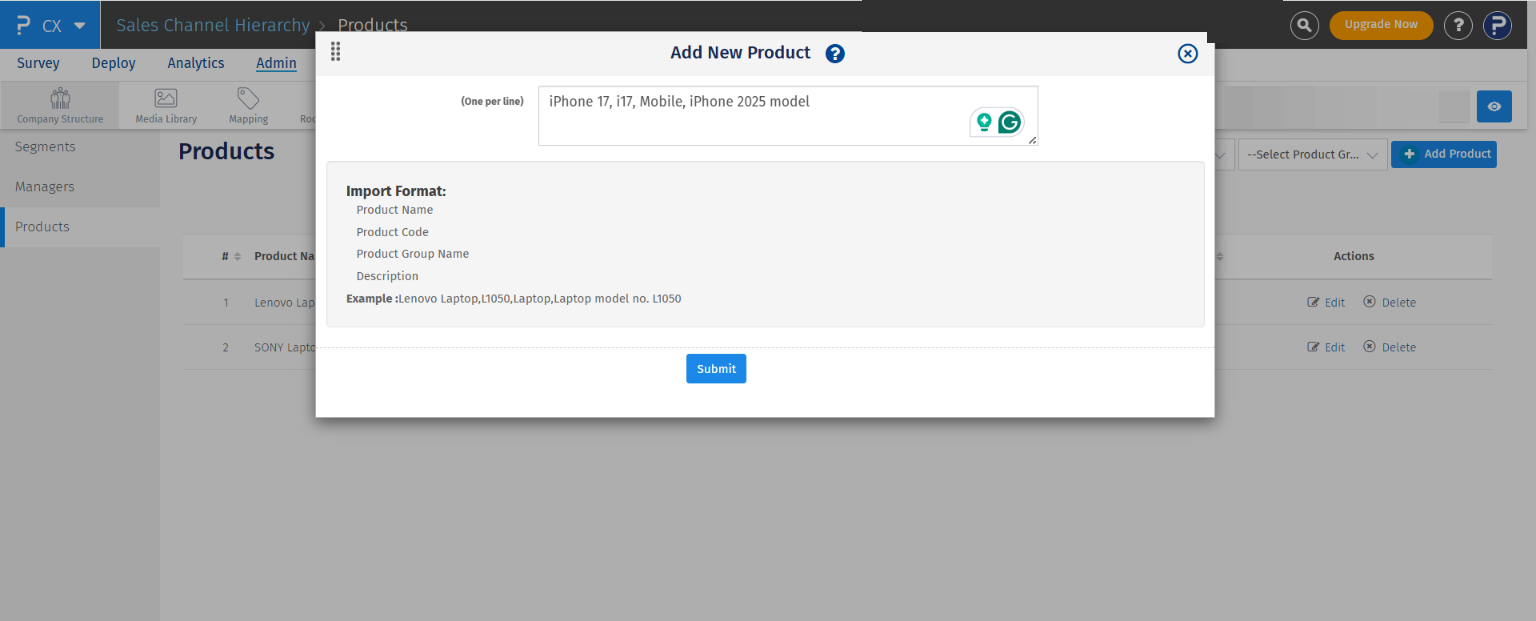
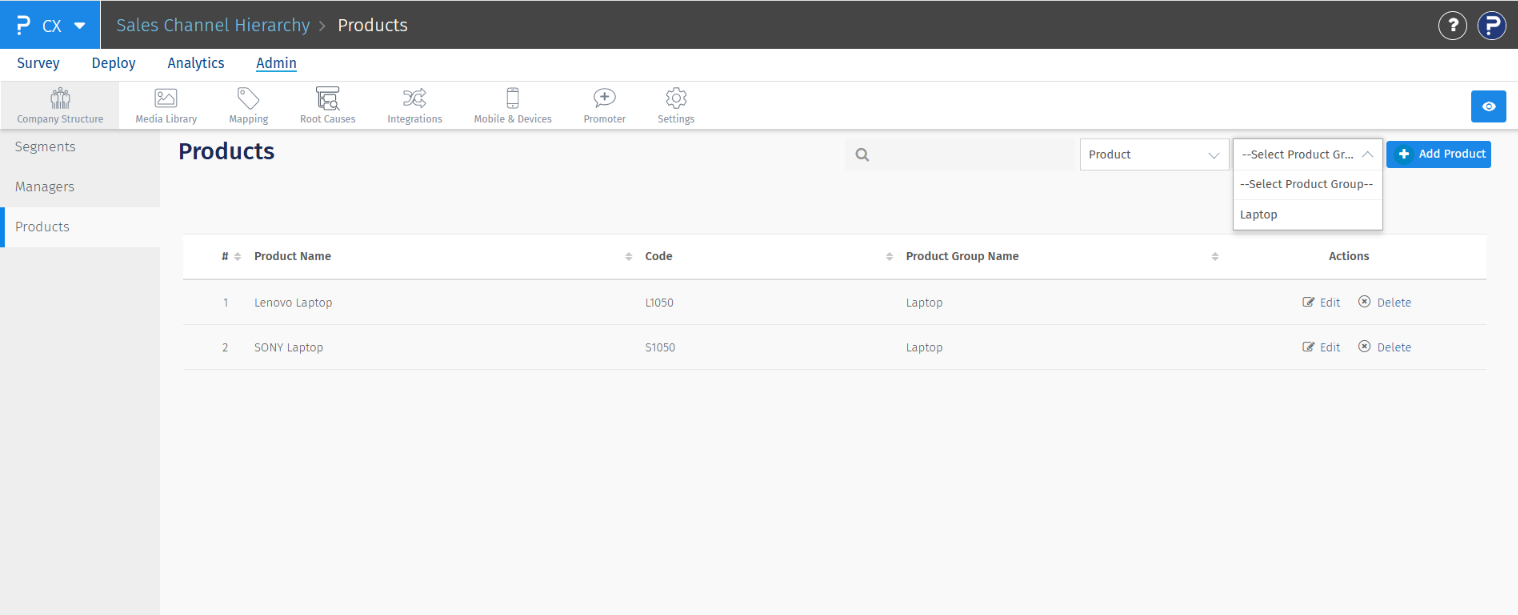
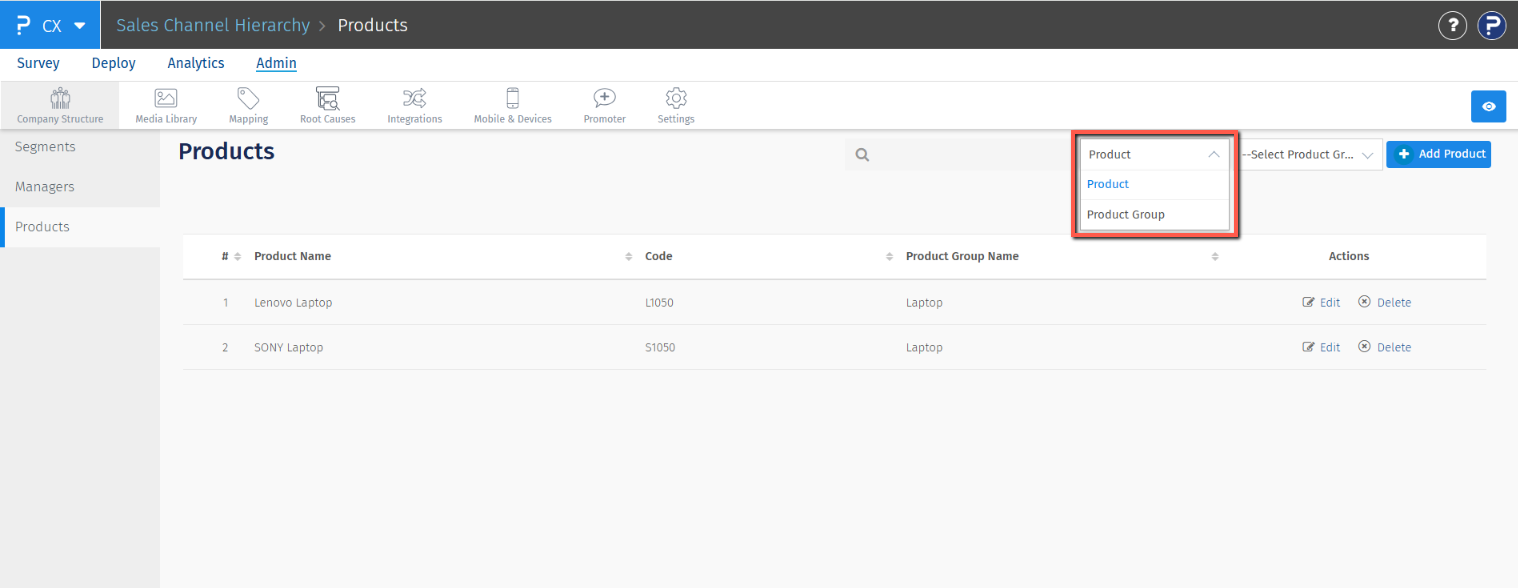
There are 2 options next to "+Add Product" button:
- Product Group filter: Use this filter to view all products that belong to the same product group.
- Switcher: Use this option to view all the product groups and their details. Similarly, you can use this to view the product list again.
How can I analyse data for different products?
To analyze the feedback collected on your surveys, go to Analytics >> Dashboard.
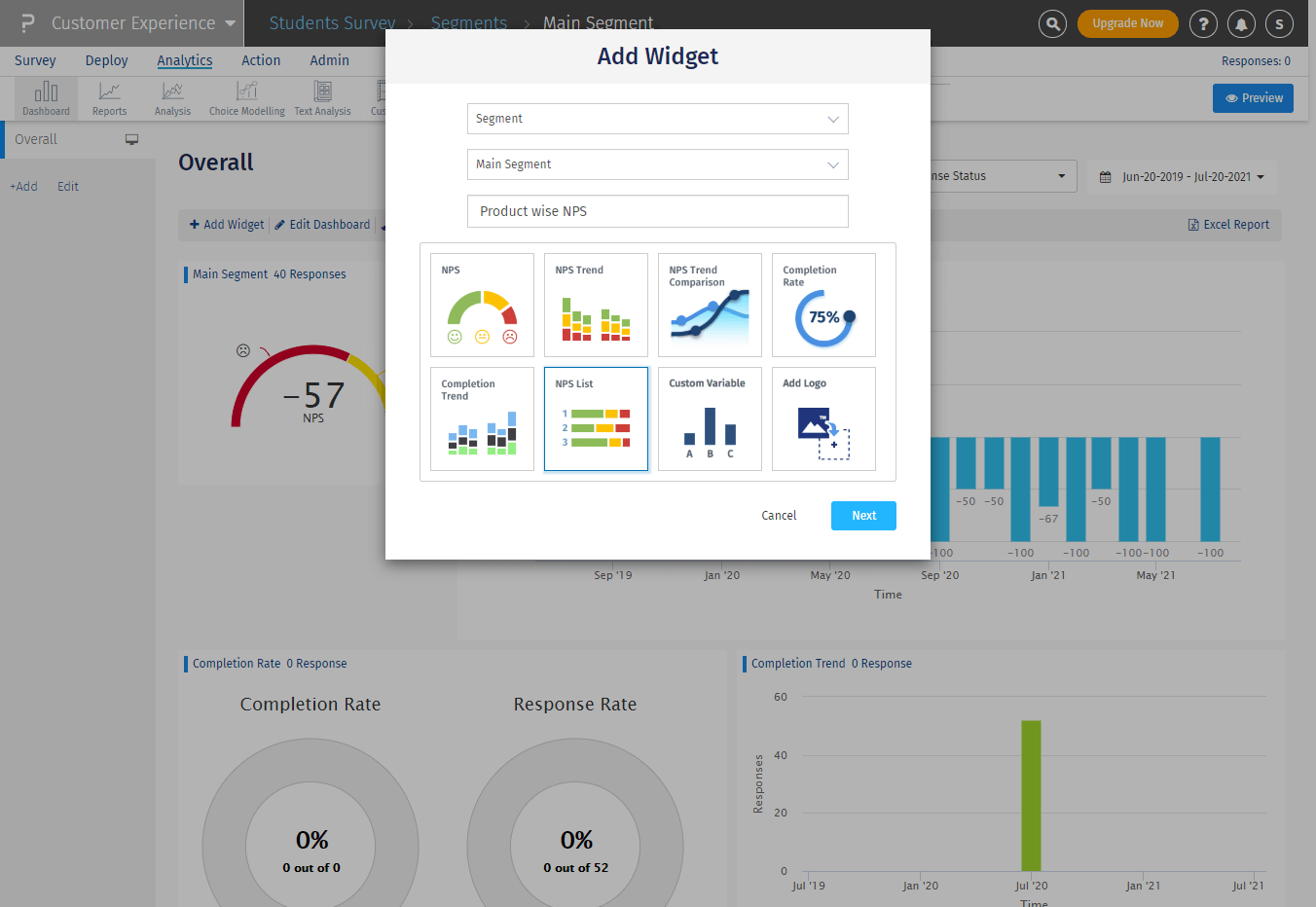
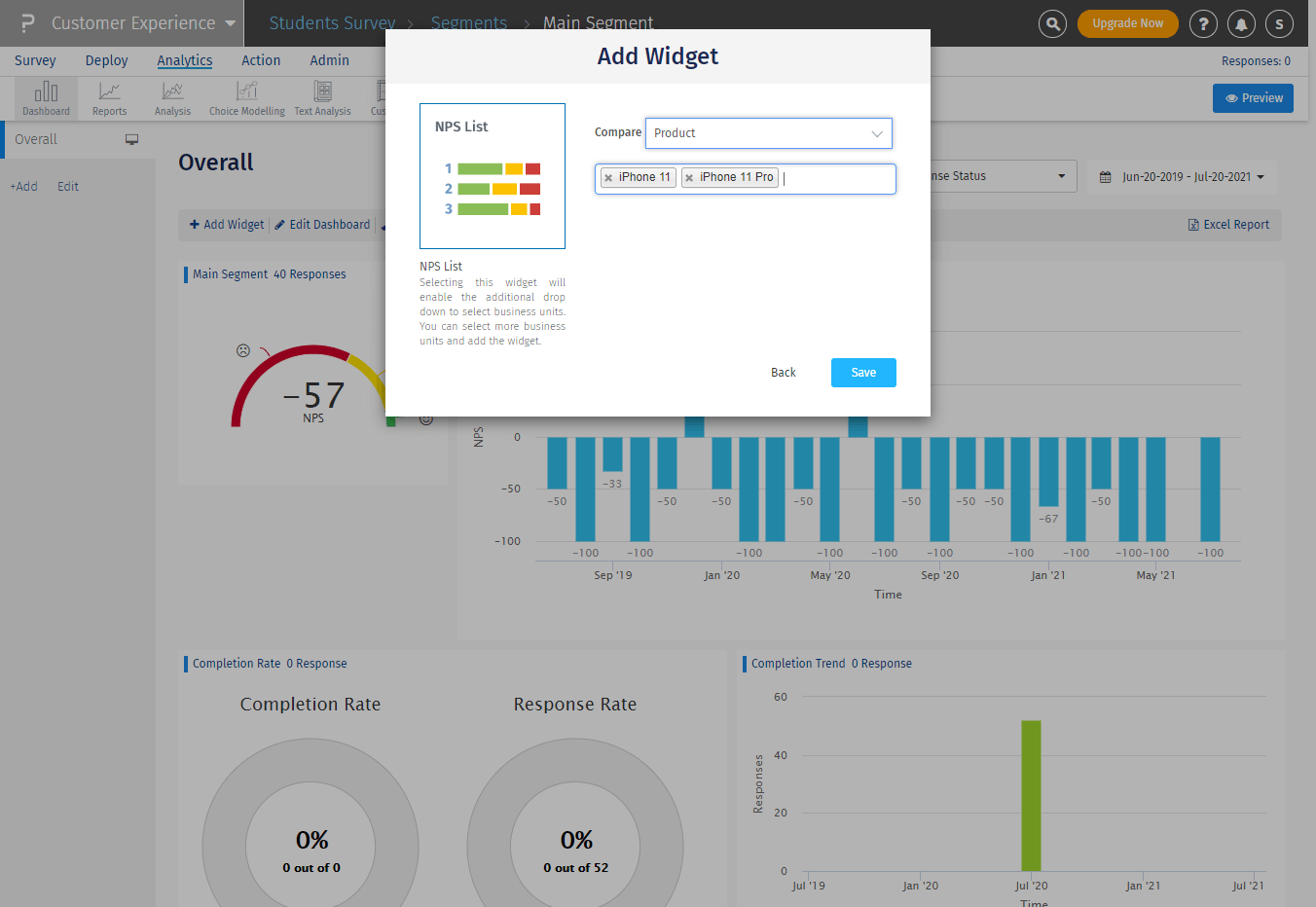
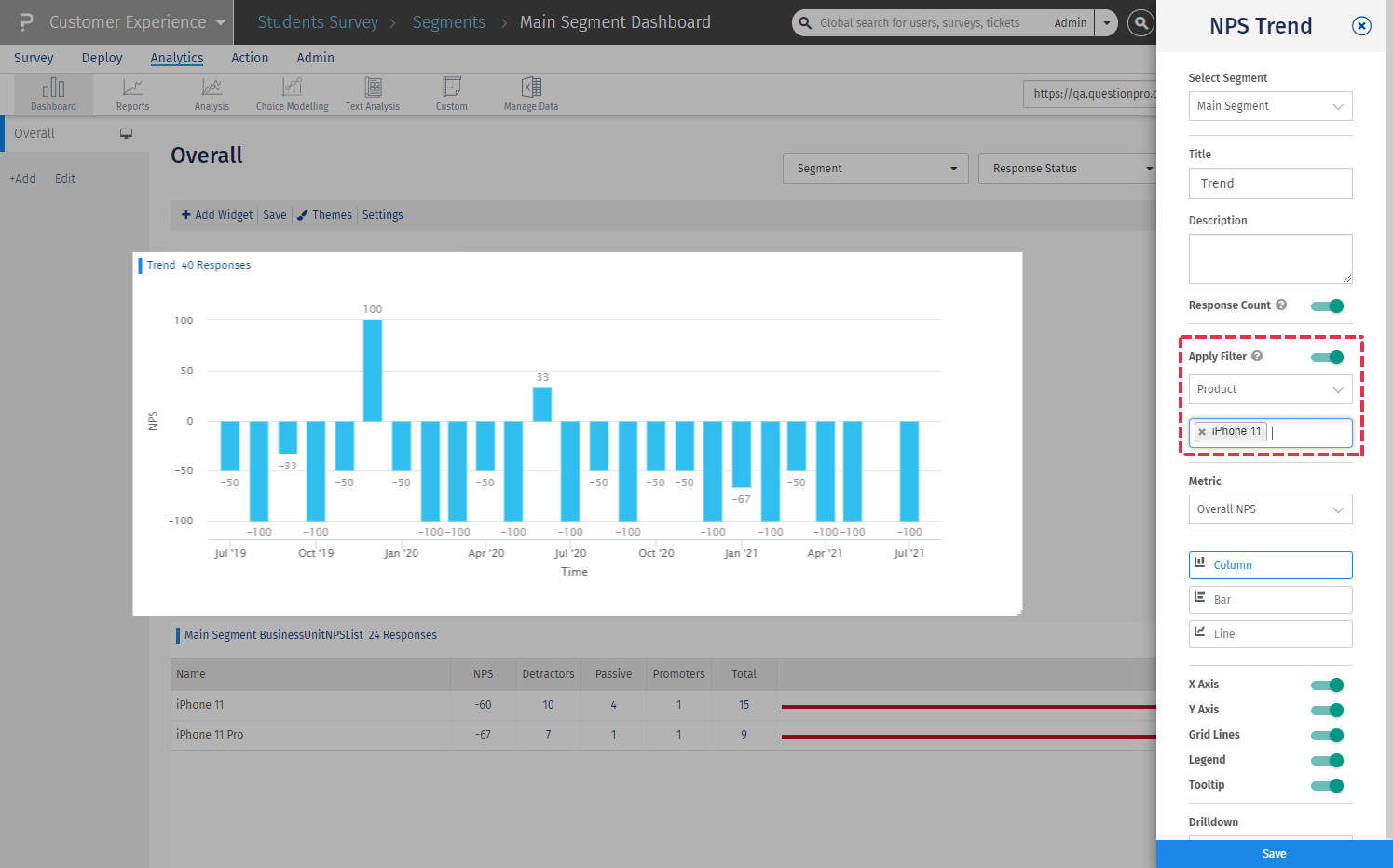
You can create widgets on the dashboard based on the questionnaire, using Product as a base for certain widgets such as NPS List and NPS Trend Comparison. For all other widgets, Product can be applied as a filter.
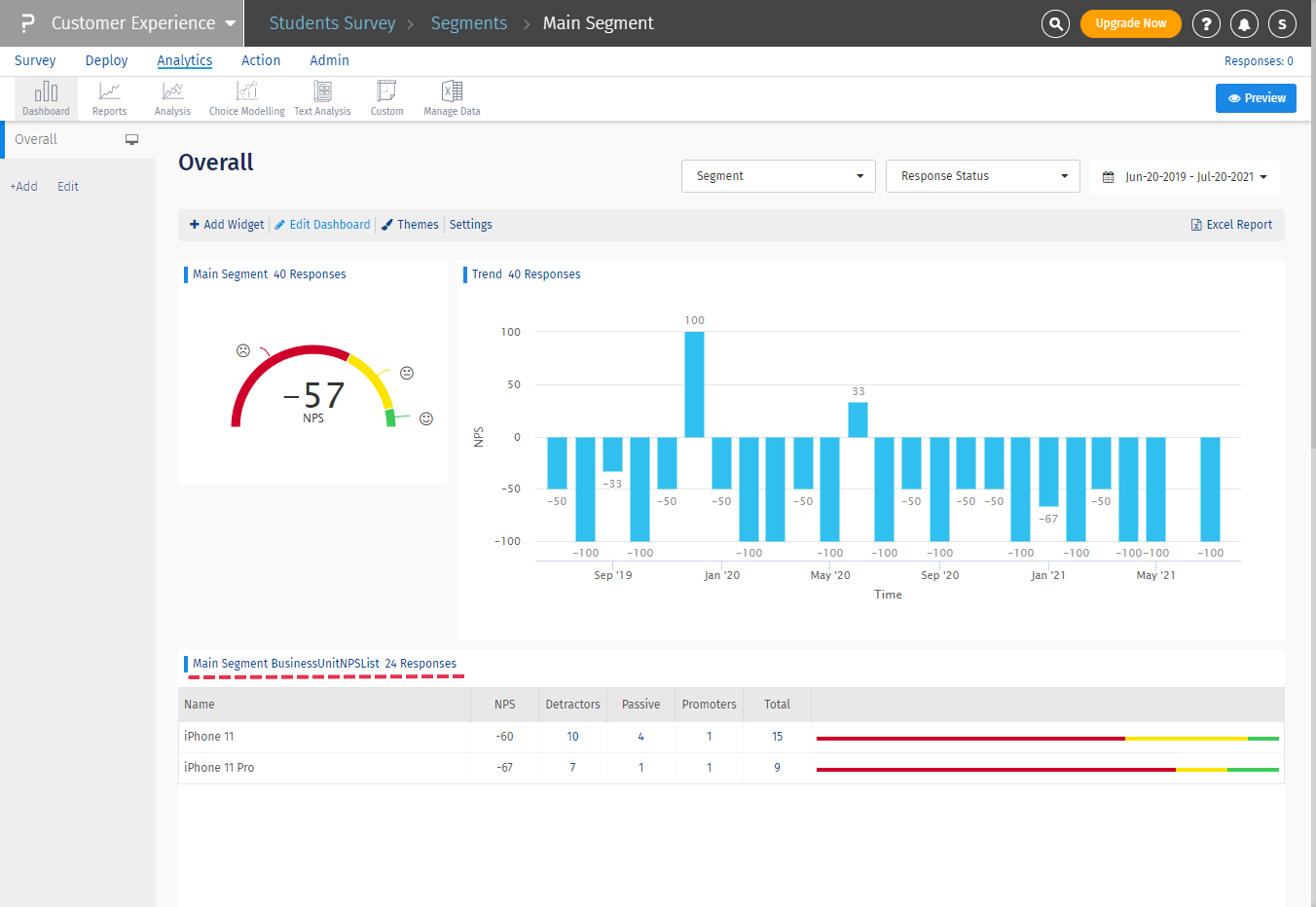
Below are some examples of how you can use Product in your analysis:- Product based widgets: Add a new widget (NPS List or NPS Trend Comparison) to compare the NPS of different products in your feedback system
- Product filter: Apply a filter for the desired product and analyse the data on a specific widget for that particular product.