

- Custom Variable Widget
- Priority Matrix
- Heatmap Widget
- Grid Widget
- Weighted mean widget
- Comment List widget
- Widget Filters
- Ranking List Widget
- Distribution Chart
- NPS Widget
- Trend Widget
- Word Cloud Widget
- Cross tab widget
- KPI Comparison Widget
- Bubble chart
- Custom Metric Trend Chart
- Trend Comparison Widget

Manager Roles
Manager Roles allow Workspace Admins to define named permission sets for CX Managers and assign managers to the appropriate roles. Each CX Manager receives the ticket permissions configured for their assigned role.
The Default role is automatically assigned to existing and newly onboarded CX Managers. By default, the Default role includes all available ticket permissions except Delete. Workspace Admins can configure the Default role and create custom roles based on manager responsibilities.
Workspace Admins can create and manage Manager Roles, configure role permissions, and assign or move CX Managers between roles.
CX Managers receive the permissions configured for their assigned role and can only see or perform ticket actions allowed by that role.
Navigate to Customer Experience → Closedloop → Workspace Settings → Manager roles.
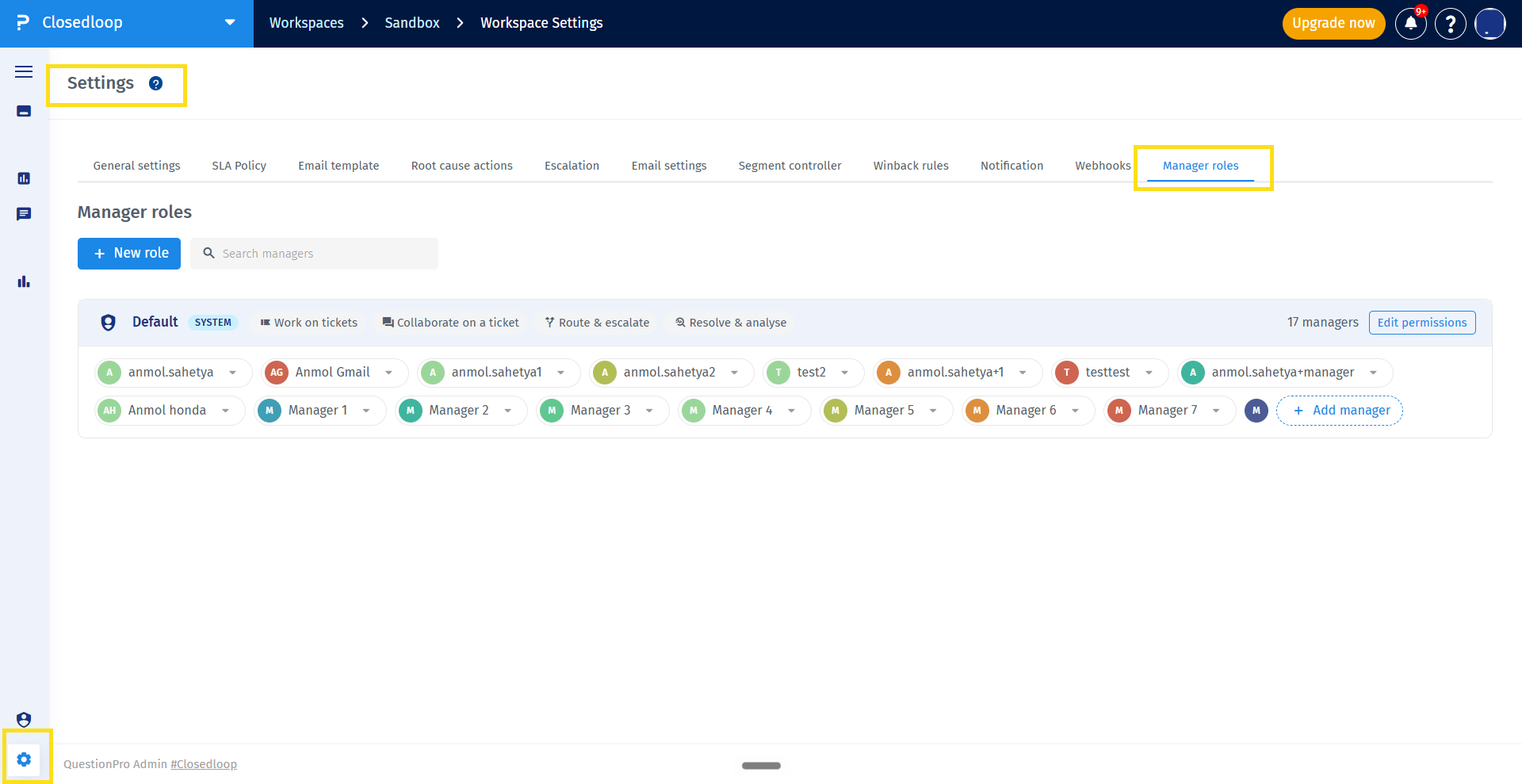
The Default role is a system role that is always available and cannot be renamed.
All existing and newly onboarded CX Managers are assigned to the Default role. By default, the Default role has all available ticket permissions except Delete.
Workspace Admins can configure the permissions and managers assigned to the Default role.
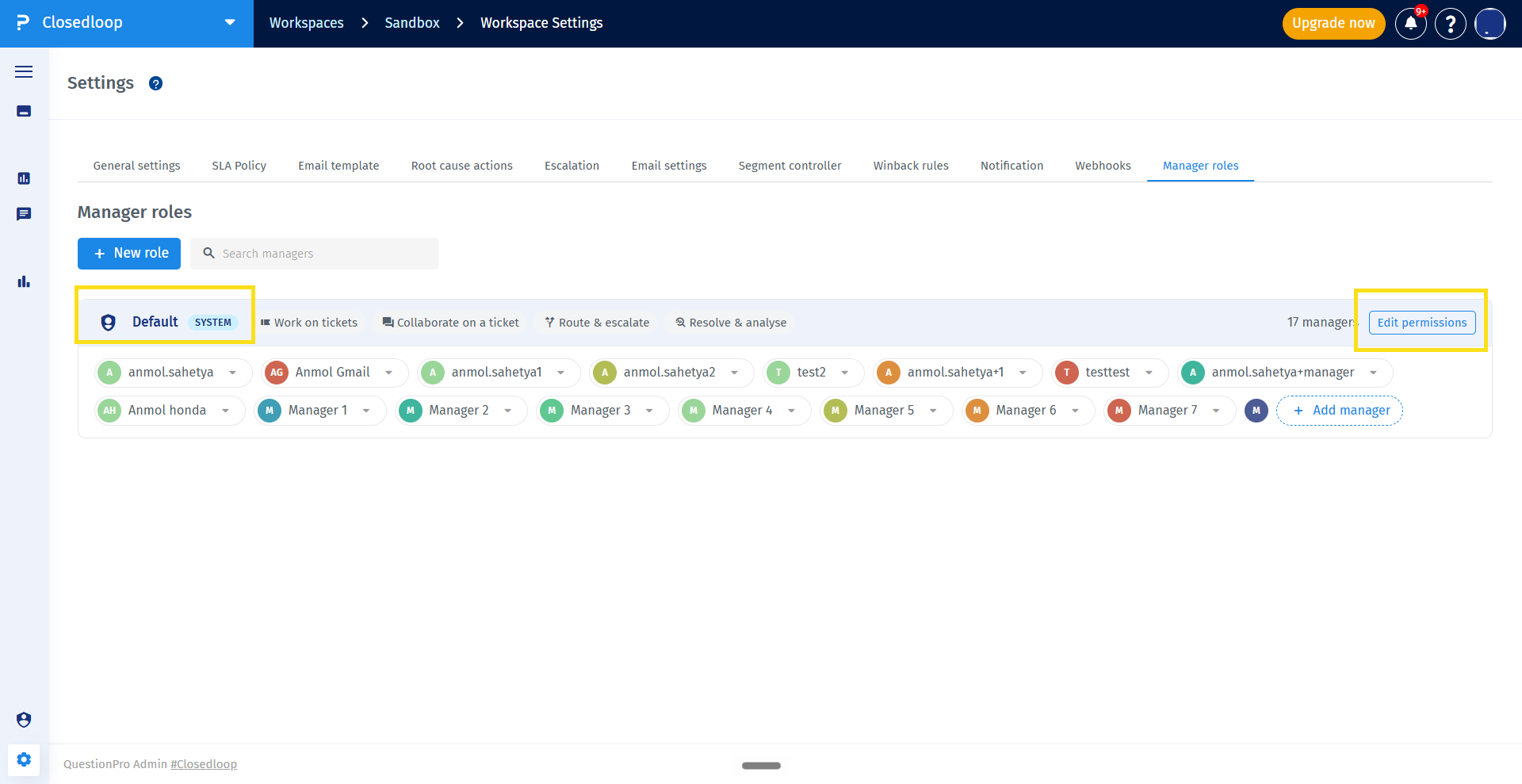
- Navigate to Customer Experience → Closedloop → Workspace Settings → Manager roles.
- Click the
+New role.

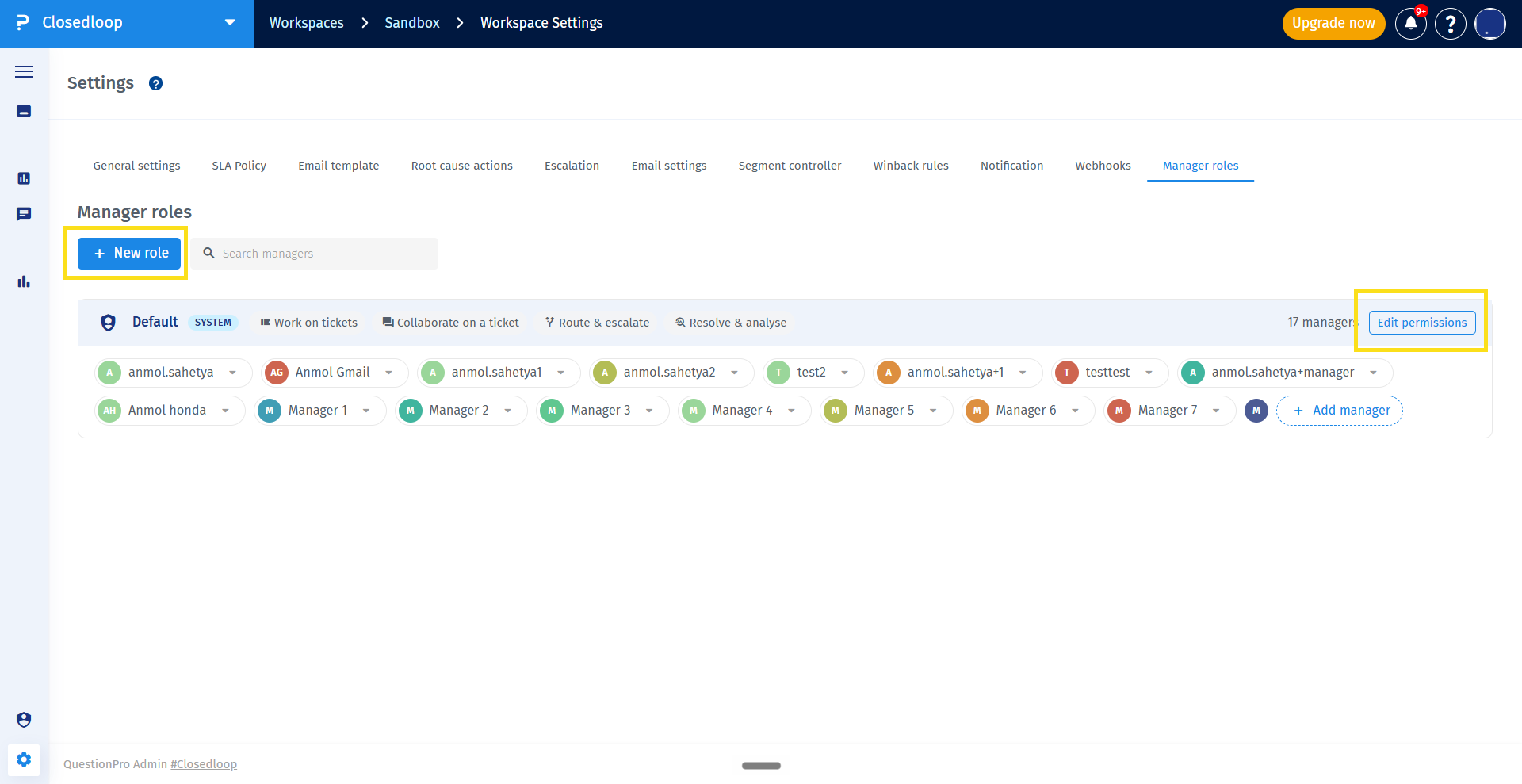
- Enter a name for the role.
- Configure the ticket permissions for the role.
- Create the role.
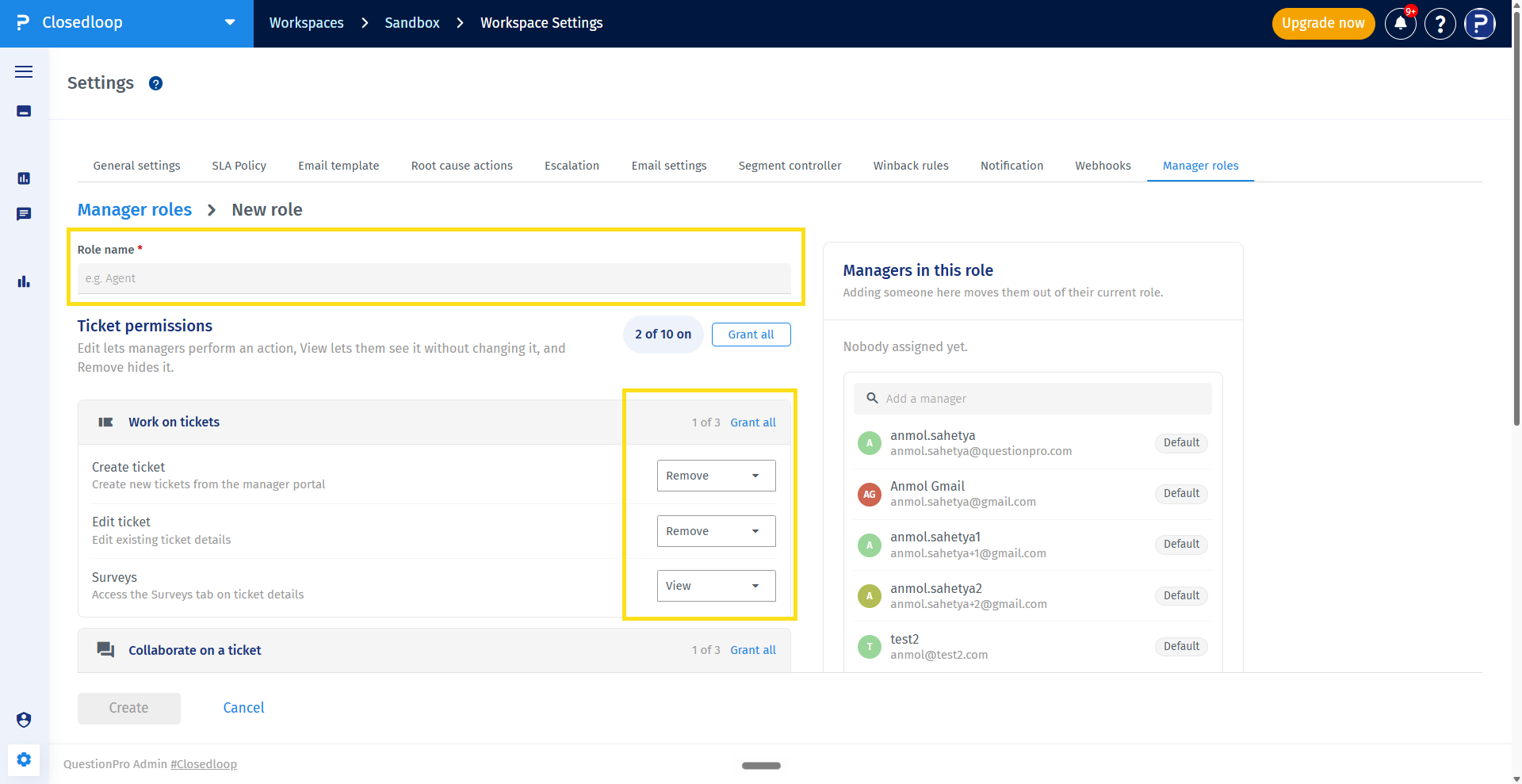
You can use Grant everything and Clear everything to configure all permissions at once. Group-level Select all and Clear all controls are also available where applicable.
Manager Roles support the following ticket permissions:
- Create ticket
- Edit ticket
- Surveys
- Comments
- Email / respond
- Manage watchers
- Assign / reassign
- Escalate
- Set root cause / RCA actions
- Delete
Permissions are grouped into Work on tickets, Collaborate on a ticket, Route & escalate, Resolve & analyse, and Destructive.
- Click + Add Manager for the role to which you want to assign managers.
- Use the manager picker to select the required managers.
- Save the changes.
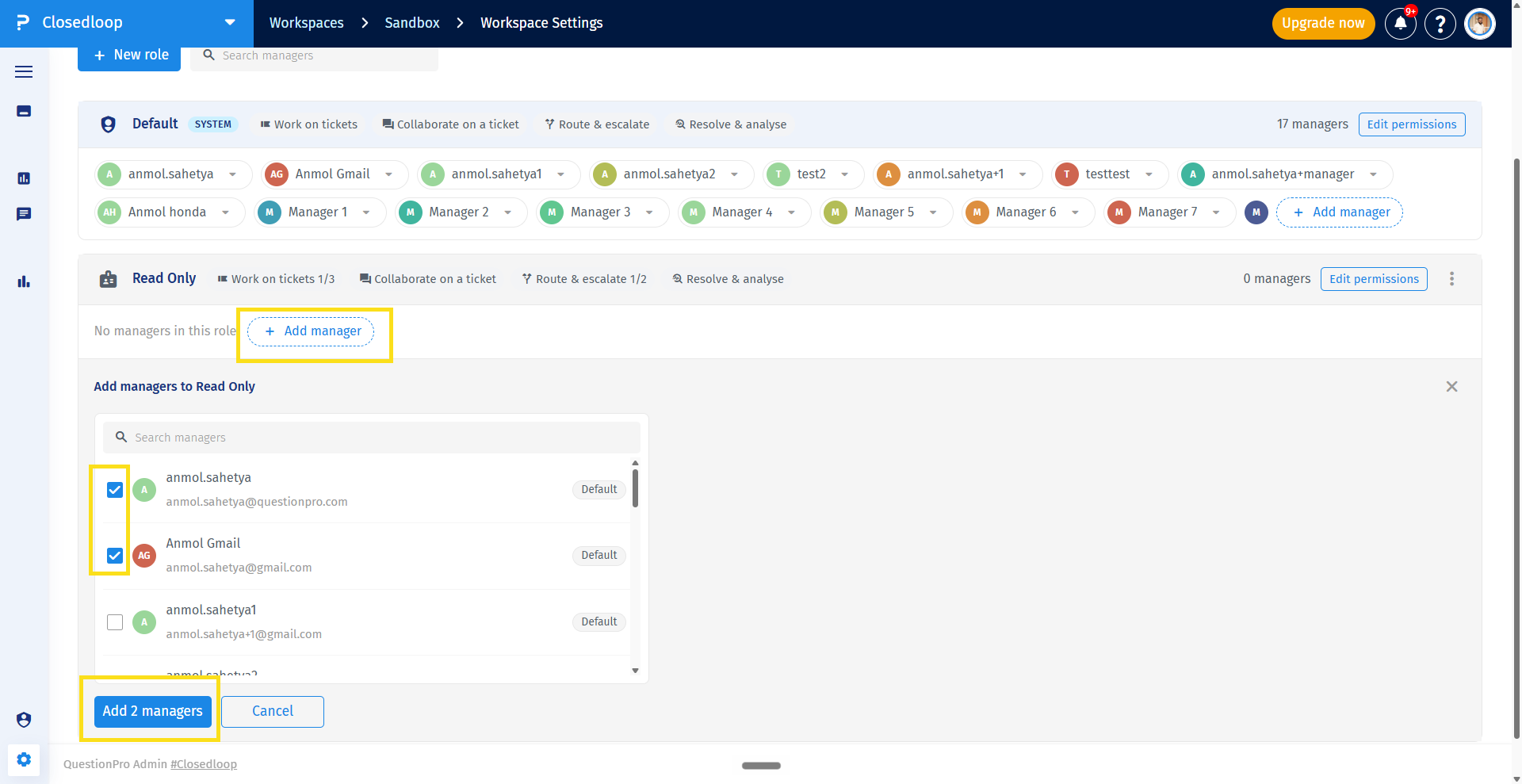
A manager can belong to only one role at a time.
Yes. You can move a manager from the Default role to a custom role, between custom roles, or from a custom role back to the Default role.
When a manager is added to a new role, they are automatically removed from their previous role.
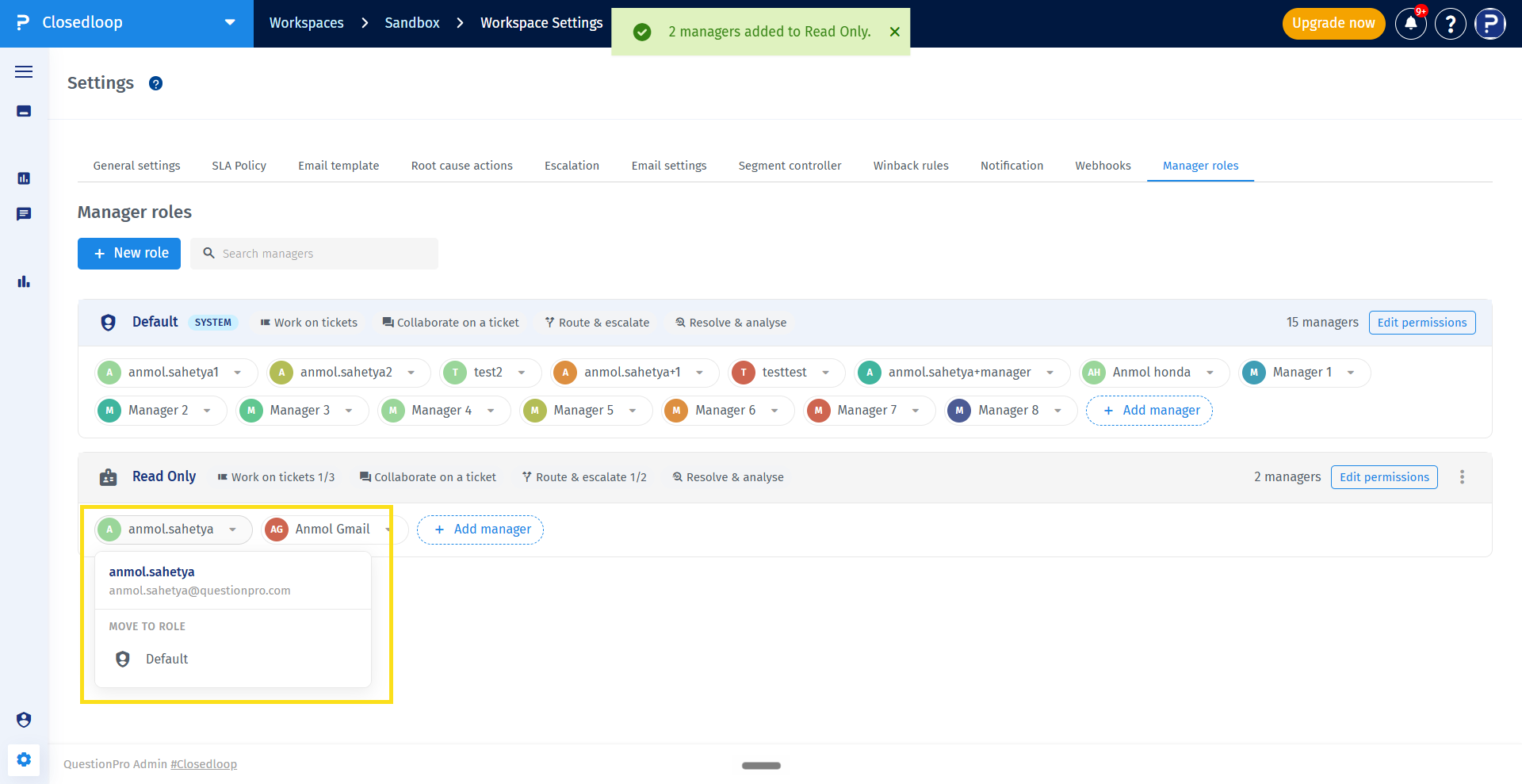
- Locate the role you want to modify.
- Click Edit permissions
- Update permissions or assigned managers.
- Save the changes.
The updated permissions apply to the CX Managers assigned to that role.
- Locate the custom role you want to duplicate.
- Use the
Duplicate or
Delete options.
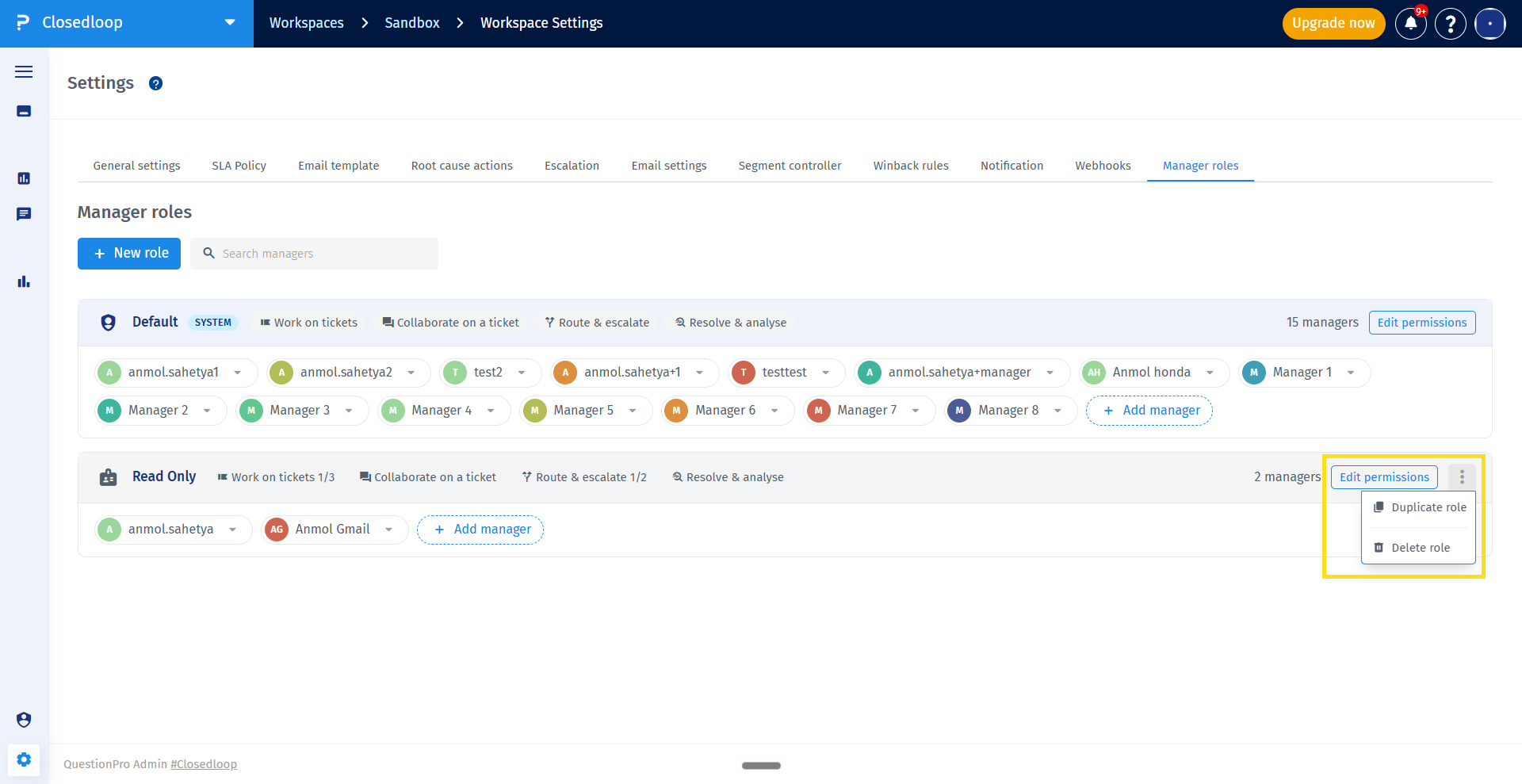
The duplicated role retains the permissions of the original role but does not contain any managers assigned to the original role.
Important: Managers assigned to a deleted custom role are automatically moved to the Default role and receive the permissions configured for the Default role.
You can search for managers by name or email from the Manager Roles list.
The search filters the role cards based on the manager's name or email. An empty state is displayed when no managers match the search.
A CX Manager receives the effective permissions configured for their assigned role.
Ticket actions that are not permitted by the manager's role are hidden in the CX portal. Permission restrictions apply to the Ticket Details, ticket tabs, watchers, and Ticket Action Dropdown.
Delete ticket access is now managed through Manager Roles instead of a single global setting.
To allow a CX Manager to delete tickets, configure the Delete permission for their assigned role.
All existing CX Managers are automatically assigned to the Default role. Newly onboarded CX Managers are also assigned to the Default role.
By default, the Default role has all available ticket permissions except Delete.
- Manage CX Manager access from one place.
- Define permission sets based on manager responsibilities.
- Control access to sensitive ticket actions.
- Move managers between different permission levels as responsibilities change.
- Manage Delete access at the role level instead of through a global setting.
- Give CX Managers access only to the ticket actions permitted by their assigned role.
