

- Community Settings
- Survey Opt-Out for Members
- Security
- Facebook setup
- LinkedIn setup
- Google setup
- Twitch setup
- Social login
- Mobile app - privacy policy
- HMAC
- External passback
- Google Analytics
- Survey swipe
- Communities Authentication - SAML SSO
- Merge all Pending Surveys
- Regional Sign Ups
- User Roles and Permissions
- Data Sharing Options
- Login Authentication
- Global community member profile
- Profiling surveys
- Default surveys
- Global community profile - settings
- Hidden field
- Move profile fields
- Profile fields - survey integration
- Profile sync
- Confidence score
- Import Profile Data
- Profile Groups
- Default Surveys 2.0
- Profiling Surveys 2.0
- Member Profile Fields 2.0
- Send new invitation
- Multiple Responses (Email/SMS)
- SMS pricing
- Survey authentication
- Send Invitation Multilingual
- New invitation profile exclusion
- Custom filter by member ID
- Send later
- Profile field mapping
- Automatic Closure
- Survey Alias
- AI create
- Community WhatsApp Integration
- Whatsapp Integration for Community

Communities Notifications
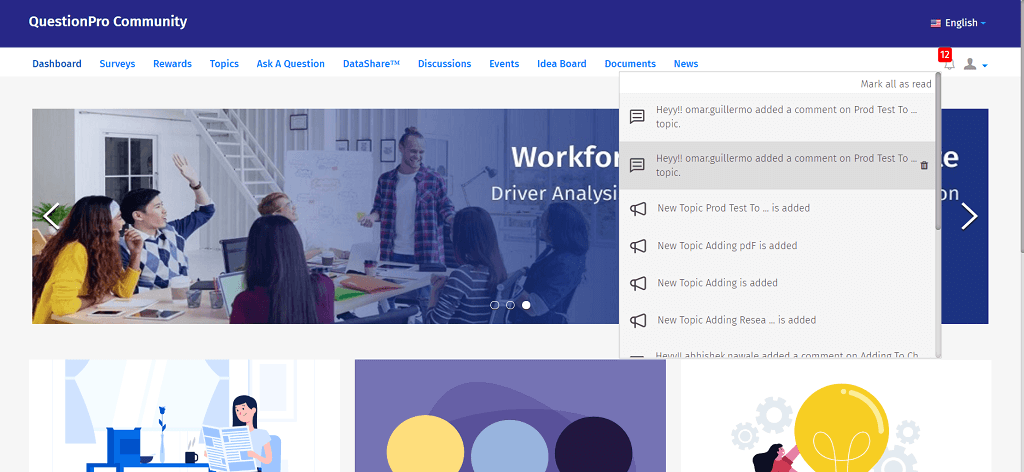
When there is any activity in the community like a survey is deployed etc. then the panel member gets a notification when they log into their portal. This is community notification.
All the notifications will be visible on the bell icon located at the top right corner once you log into your portal:
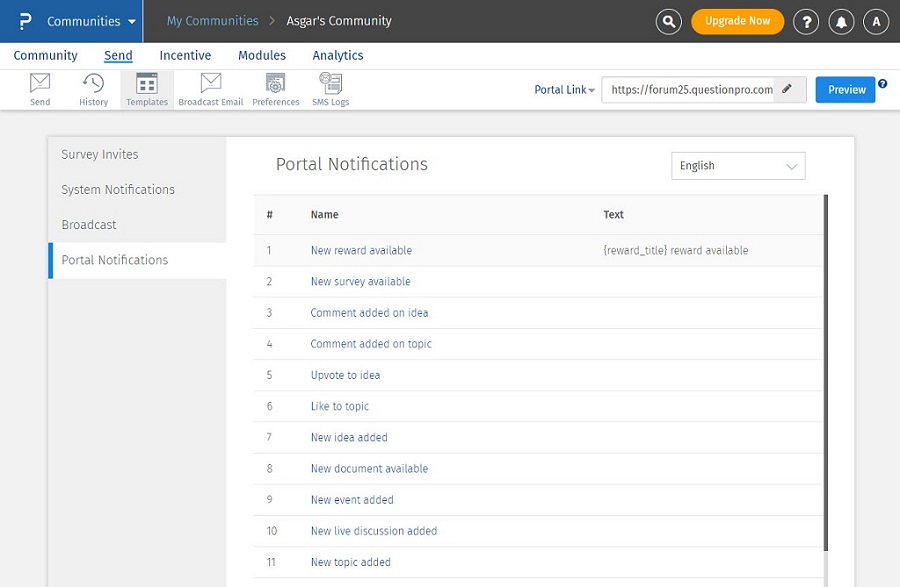
Communities Notifications Templates can be found under Send>>Templates>>Portal Notifications. Admin can edit the templates and add customized notification messages.
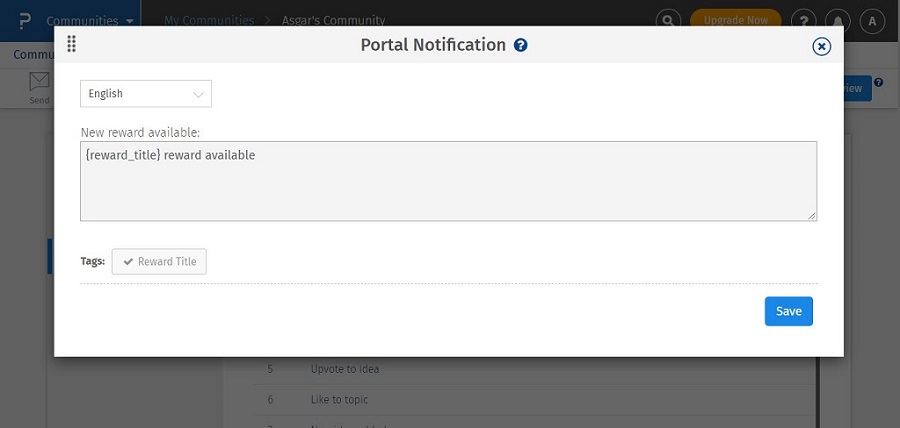
The language dropdown does not trigger translation in the system. It is only a language selector that decides which pre-written content version to display. This means the client must add notification content per language.
If the dropdown is set to English and the notification template is written in English, then members whose preferred language is English will see an English portal and English portal notifications.
If a member’s preferred language is German, Spanish, or another supported language, the portal UI and system notifications displayed to them will be the versions created for that specific language.
The system displays the matching language variant, it does not auto-translate the message.
